MSI X3D Gaming Mode提升AMD Ryzen处理器游戏效能
主板
MSI X3D Gaming Mode可提升包含Ryzen 7 9800X3D在内的AMD Ryzen系列处理器的游戏效能。只要在BIOS里面启用这个功能,就可以提升部分游戏的效能。
X3D Gaming Mode会调整处理器的核心或多线程设定 (Simultaneous Multithreading, SMT)设定,因此会影响多核心应用的效能。游戏效能提升效果也会因游戏而异,使用者可以依照使用需求,与经常游玩的游戏,决定是否开启X3D Gaming Mode。
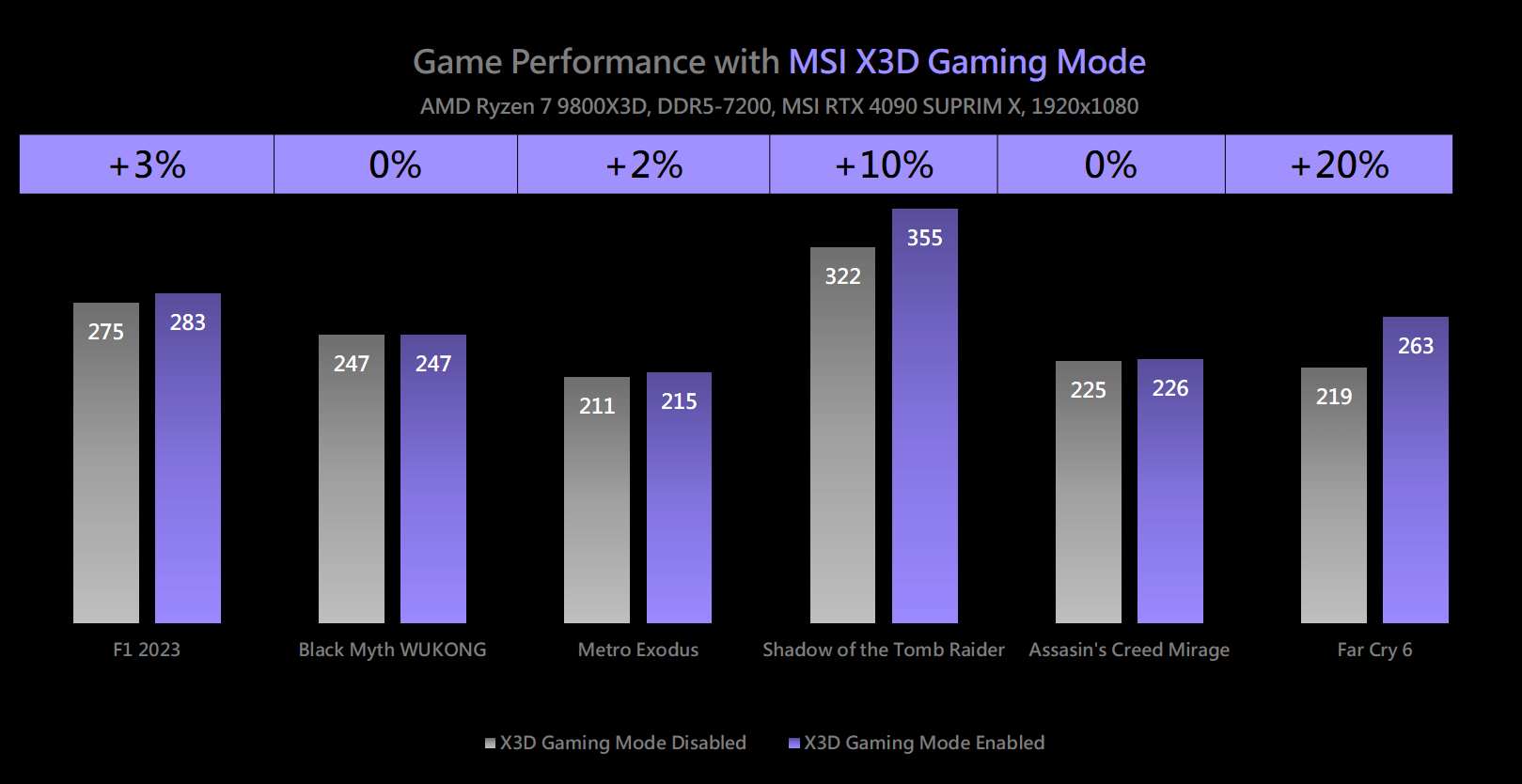
提升部分1080p游戏效能达2%-20%
经过测试,在1080p分辨率下,X3D Gaming Mode可提升部分游戏效能达2%-20%,效能提幅度会因为游戏的不同而异。例如Metro Exodus可提升2%,而Far Cry 6提升幅度达20%。
如何启动X3D Gaming Mode
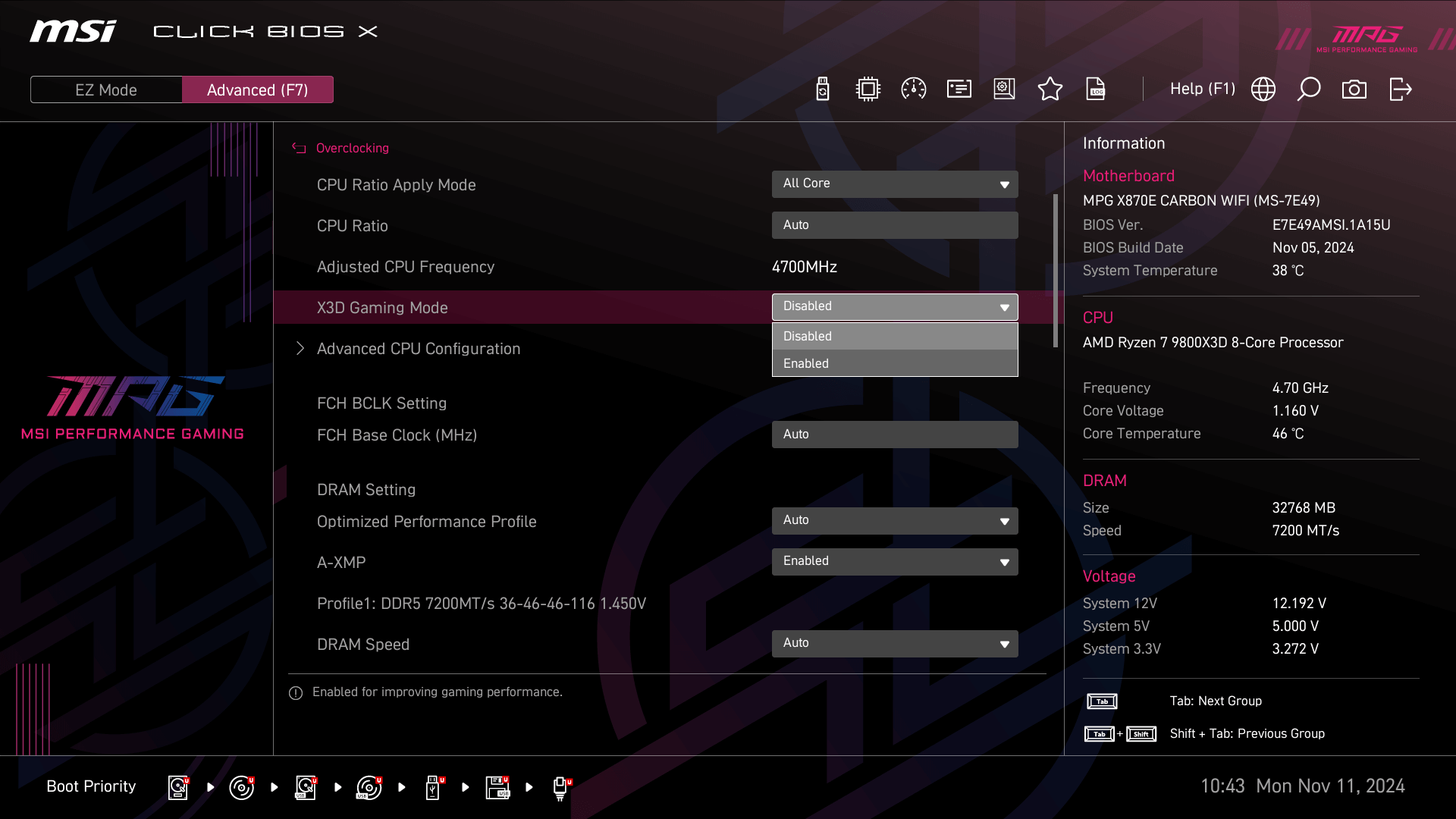
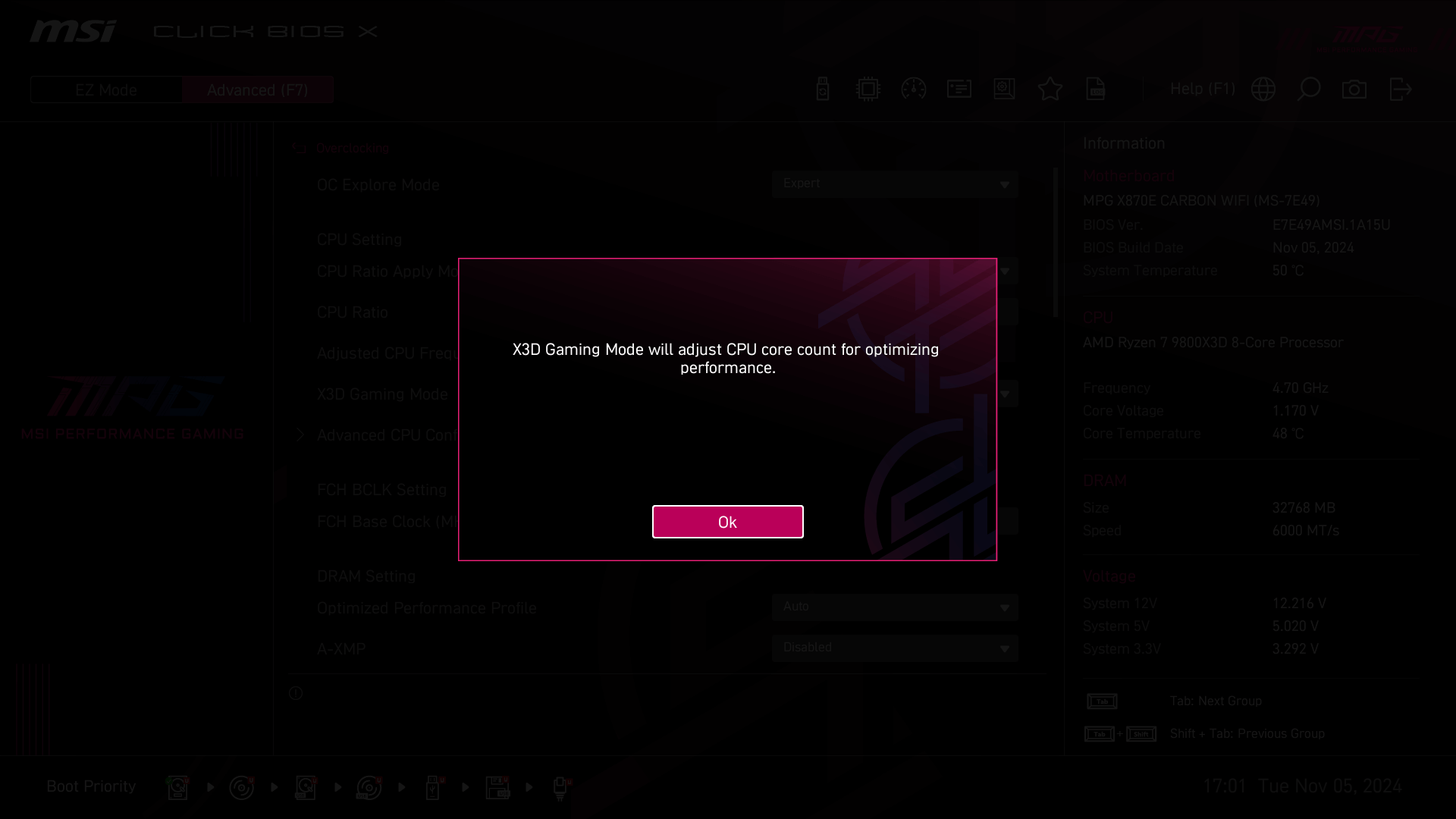
进入Click BIOS X,按F7进入Advanced模式后,在Overclocking页面启用X3D Gaming Mode,就可以开启这个功能。请注意开启这个功能时,BIOS会跳出窗口,提醒启用这个功能会调整CPU的核心数。
测试平台配置:
- 处理器: AMD Ryzen 7 9800X3D
- 主板: MSI MPG X870E CARBON WIFI
- 内存: Galax DDR5-7200 16GBx2
- 显示适配器: MSI GeForce RTX 4090 SUPRIM X 24G
- SSD: Kingston SNV2S/2000G
- 处理器散热器: MSI MAG CORELIQUID I360
- 电源供应器: MSI MEG Ai1300P PCIE5
- 操作系统 Windows 11 Pro 24H2, build 26100.2033
- 游戏设定: Black Myth: Wukong - High; 其他游戏最高画质
注:
效能会因硬件与系统设定而异。
效能测试使用MSI RTX 4090显示适配器; 效能会因使用的显示适配器而异。
X3D Gaming Mode效果会因使用的显示适配器而异。